Shift scheduling app “Is this the final schedule?” Nobody will have to ask again.
Shiftrio is a shift scheduling and staff management app for restaurants, cafés, hotels and shops: the weekly schedule, time off, swaps and overtime in one place. You publish the week; everyone sees their own shifts on their phone and gets notified when something changes.
Free for up to 10 people · Every feature on every plan
Sound familiar?
Every Sunday night, the same scene.
The schedule gets built in a spreadsheet, photographed and posted to the group. Then the corrections start: someone’s off, someone wants to swap, someone can’t find their name. Changes get lost in private messages, and by the end of the month nobody remembers who swapped with whom. Overtime gets calculated from memory.
Downtown Team
14 people
Sunday
Mark
am i on mornings or evenings tomorrow
22:47
Zoe
can someone swap saturday with me, it’s my cousin’s wedding 🙏
22:49
final schedule guys
23:05
Chris
i’m not on it??
23:06
sorry, THIS one
23:12
Ellie
so which one is it
23:14
Monday
Ben
at the door, who’s opening today?
07:58
WITH SHIFTRIO
- One schedule, always up to date.
- Swap and time-off requests come to you for approval, and there’s a record.
- When something changes, only the people affected get notified.

SHIFTRIOnow
Shifts published
Downtown: A new shift of yours was published.
How it works
Your first week, in four steps.
01/Team
Add your team
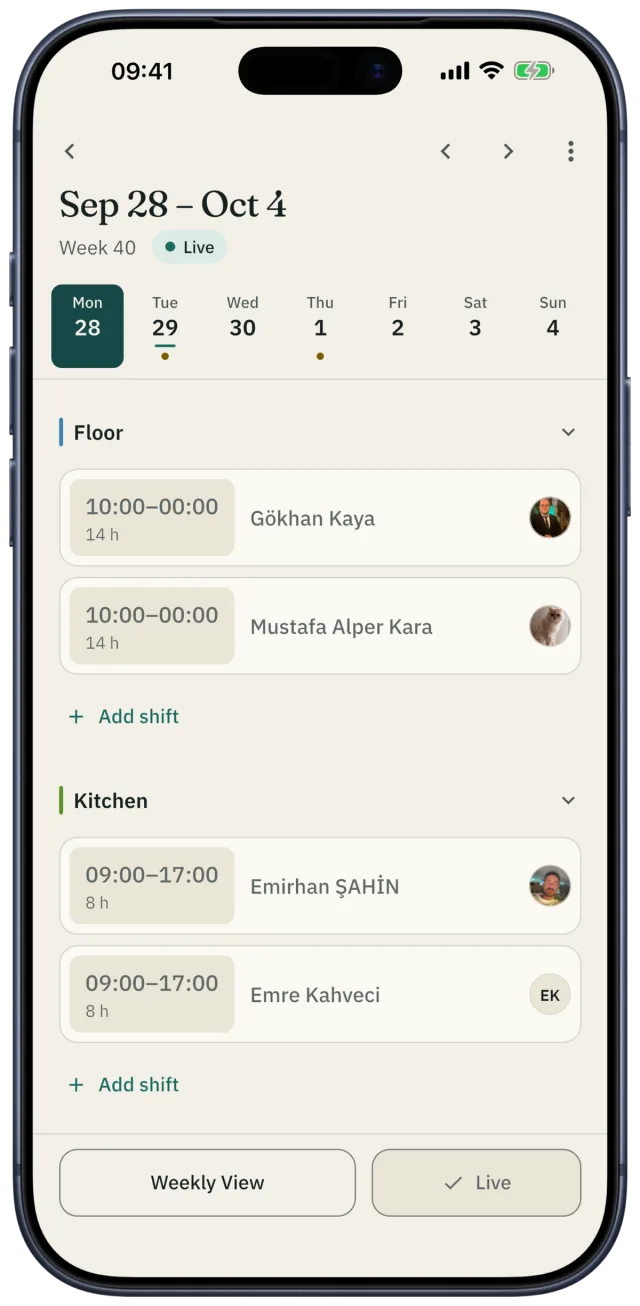
Share the invite link on WhatsApp or show the QR code; your staff download the app and join. You can also add someone who hasn’t joined yet and put them on the schedule right away. When they join, their shifts, wage and tags move to their own account.
02/Branch
Set up your branch once
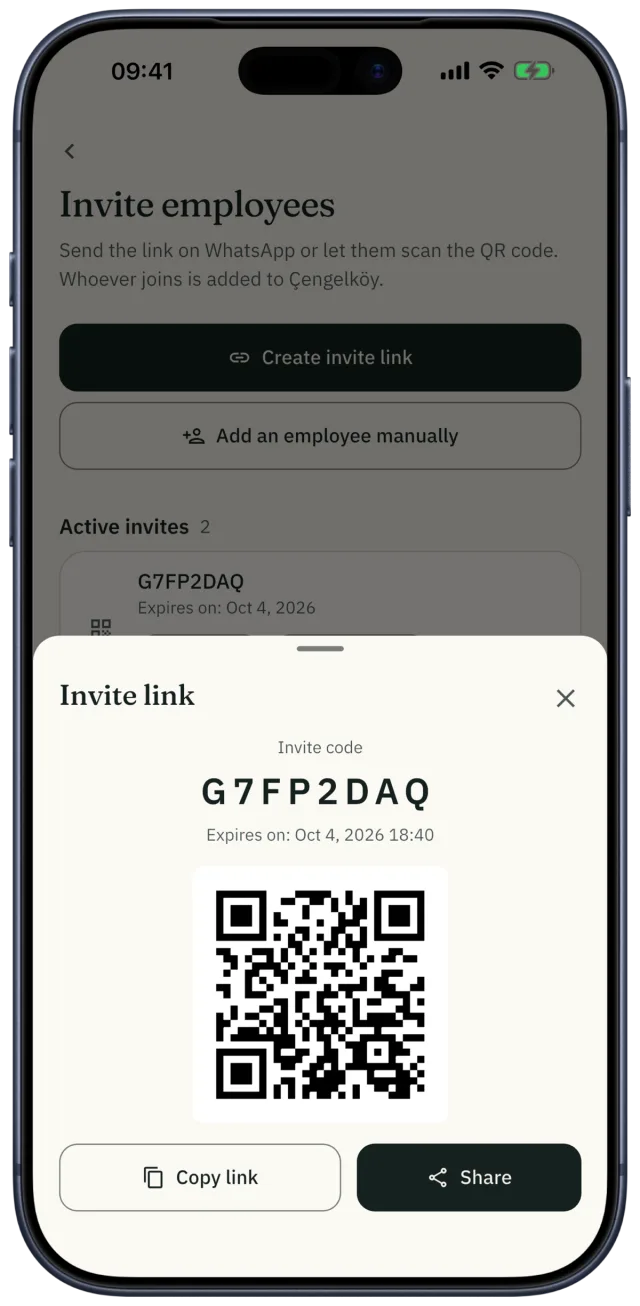
Enter your departments (floor, kitchen, bar), opening and closing hours, and the minimum and maximum weekly hours per person. Save the shift times you use most so you never type them again.
03/Plan
Fill the week
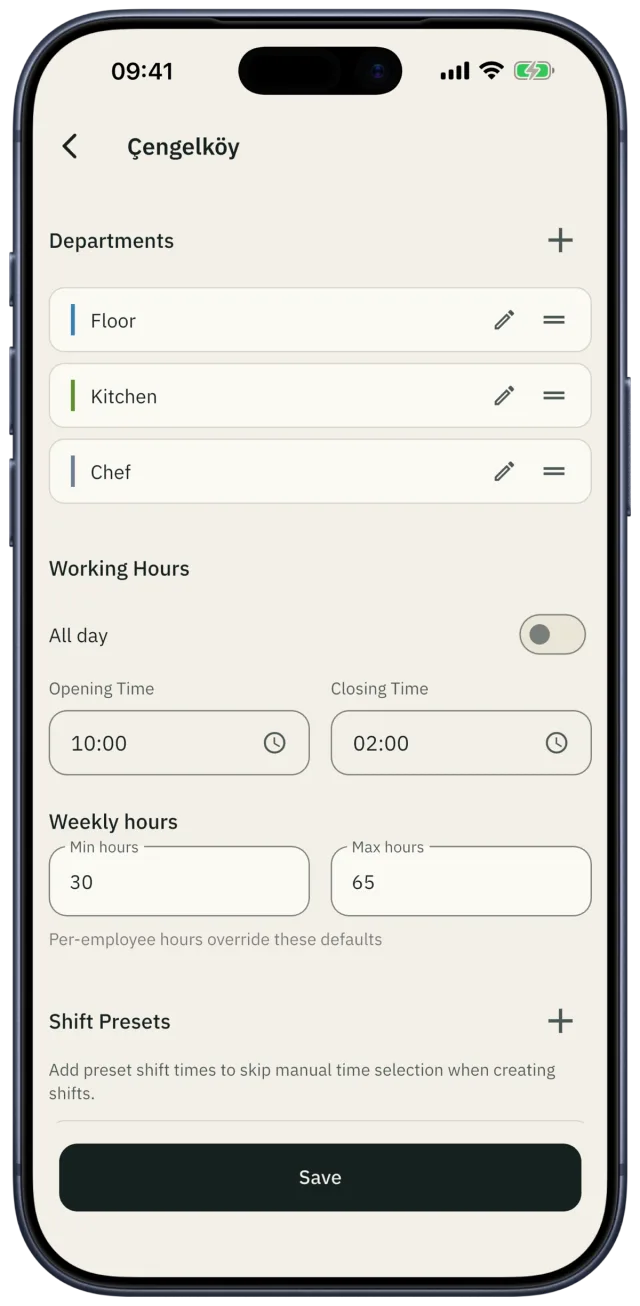
Place shifts by hand, start from a saved template, or let auto-assign do it. Auto-assign skips anyone on leave, anyone who said they’re unavailable, and anyone who has hit their weekly hours. If you have a rule like “at least three people in the kitchen on Saturday night”, Shiftrio warns you when the week falls short.
04/Publish
Publish
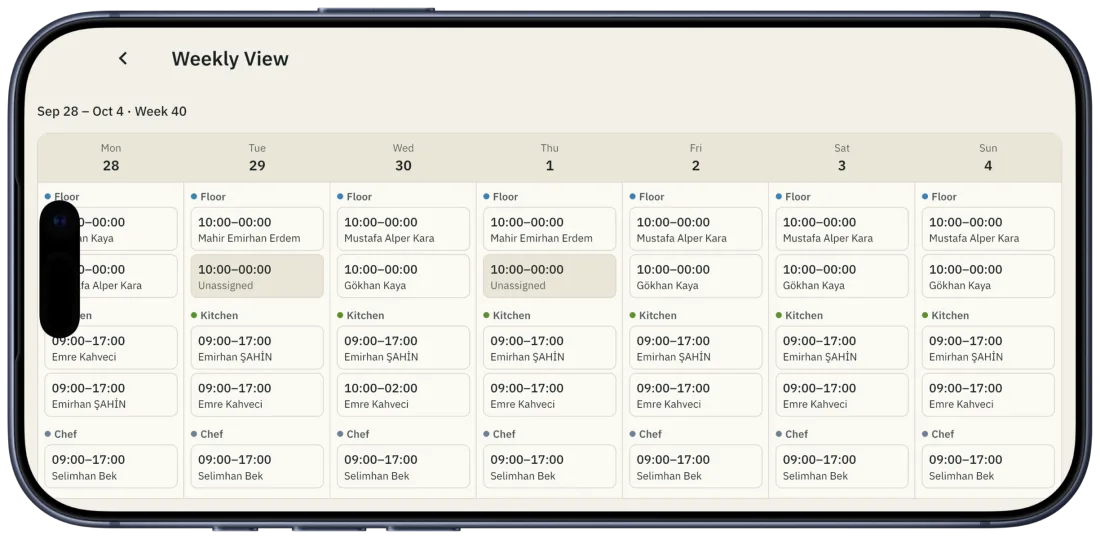
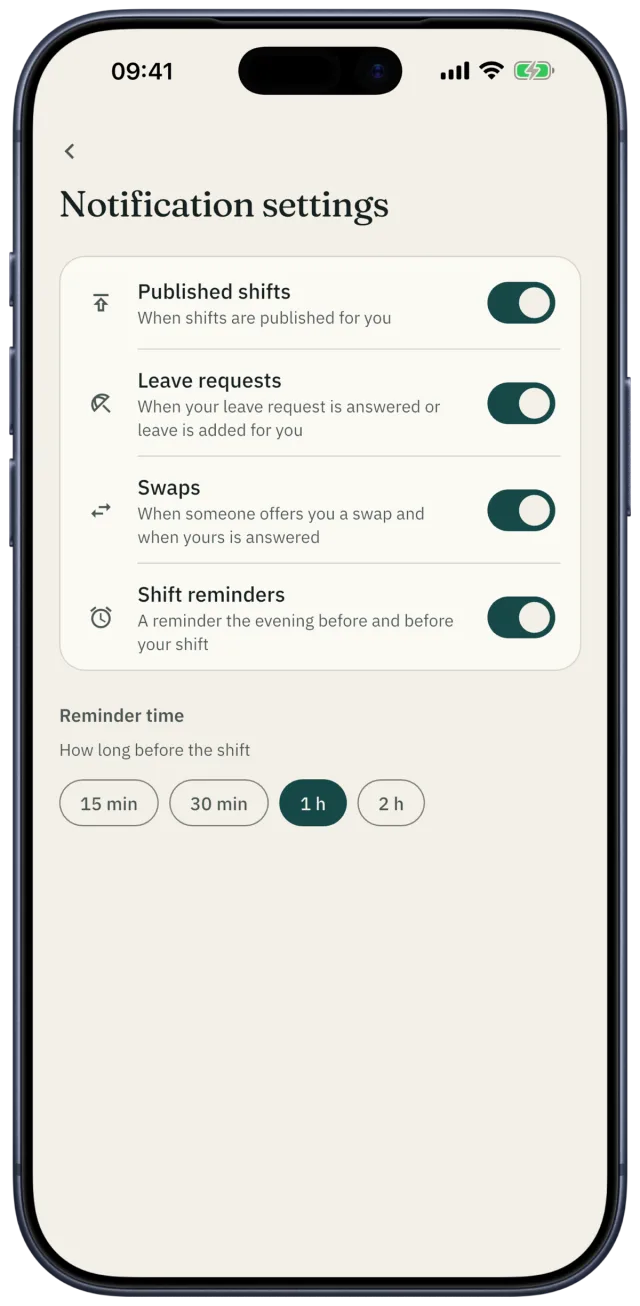
One tap publishes the week and notifies everyone. Your staff get a reminder before each shift at the time they choose: 15 minutes, half an hour, one or two hours before.
For managers
Month-end numbers, kept all month.
The work that eats a manager’s week without ever showing up on the schedule lives in Shiftrio too.
Time off and swaps
Staff send requests from the app. For a swap, the other person accepts first, then you approve. Approved time off shows on the schedule, and auto-assign skips those days.
Mark accepted · Waiting for you
ApproveOvertime
Overtime is recorded with its multiplier, and staff can file their own requests. At the end of the month, who worked how much extra is on one list.
Tips
Split the tip pool equally or by hours worked. The split stays on record in Shiftrio, so when someone asks who got what, the answer is there.
Statistics
Who worked how many shifts and hours this month, on one screen. Drill down per person when you need to.
This month · hours
Multiple branches
Switch between branches with one tap. Give each branch its own manager; one person can work at more than one branch.
For your staff
Your team will use it, because it helps them.
When your staff open the app, the first thing they see is their own shift, who they’re working with, this week’s hours and their estimated pay. No scrolling through the group looking for their name.
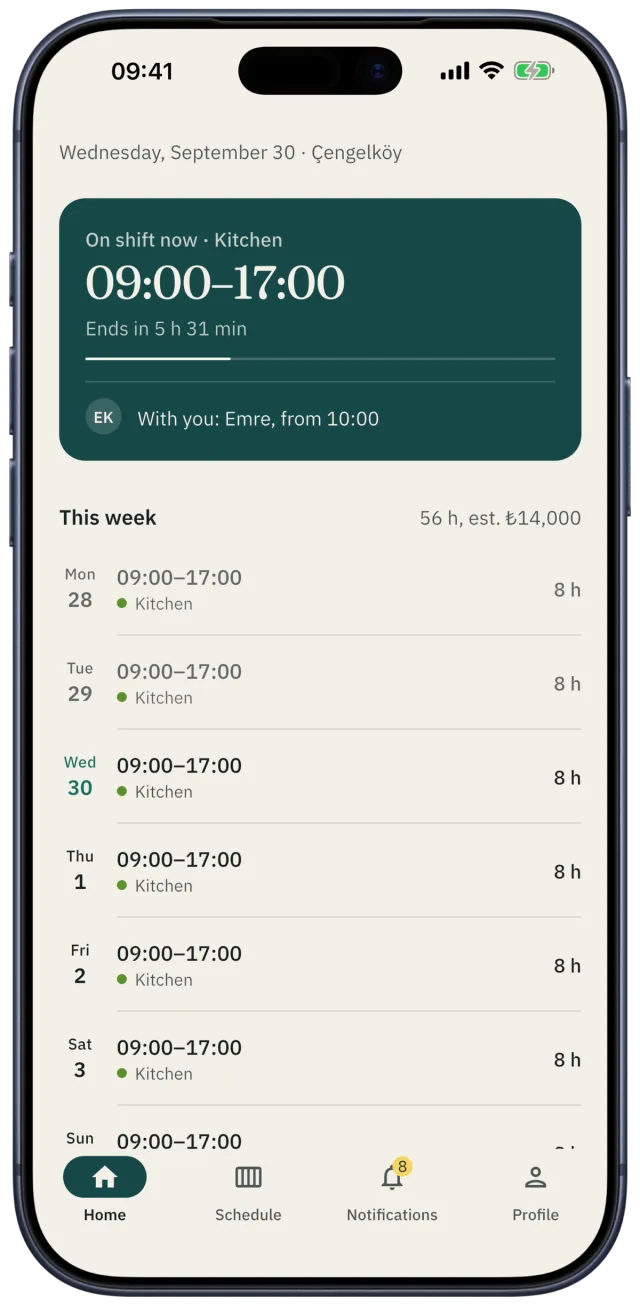
- 01Their current or next shift
- 02Time left until it starts or ends
- 03Who they’re working with
- 04This week’s hours and estimated pay
- 05The week’s shifts, day by day
Things they handle themselves
- Set their availability
- Request time off
- Offer a swap
- Add shifts to their calendar
- See who’s working with them today
Who it’s for
Wherever there are shifts.
- 01
Restaurants
Build the restaurant shift schedule with floor, kitchen and bar as separate departments, and set a minimum headcount for busy nights.
- 02
Cafés
Part-time teams, availability that changes every week, weekend swaps: the café staff schedule in one place.
- 03
Hotels
A hotel shift schedule that runs day and night, with an all-day mode for branches that never close.
- 04
Shops
Retail staff scheduling: opening and closing crews, weekend rushes, more than one location.
Pricing
Free for up to 10 people.
Every feature is on every plan. Plans only change with the size of your team.
Free
10
people
Starter
25
people
Growth
100
people
2-week free trial
Enterprise
1,000
people
On every plan
Scheduling, templates, auto-assign, rules, time off and swaps, overtime, tips, statistics, multiple branches, notifications.
Prices for paid plans are shown in the app, in your region’s App Store or Google Play pricing.
Questions
Before you ask.
- Does everyone have to install the app?
- No. You can add someone who hasn’t joined yet and schedule them. When they install the app and join, their shifts move to their own account.
- Will it be hard to get my team on it?
- The invite link is clickable in WhatsApp. Whoever taps it downloads the app and joins with the code. You can also show the code or QR in person.
- I have more than one branch.
- One account runs all of them. Give each branch its own manager and switch between branches with one tap.
- What happens when my team grows?
- Upgrade your plan from inside the app. Your data and history stay exactly as they are.
- Which phones does it work on?
- iPhone and Android. The app is available in English and Turkish.
- What if I want to delete my account?
- You can delete your account and data from the app’s settings or from the account deletion page. Account deletion page →
Publish this week’s schedule on Shiftrio.
Free for up to 10 people. No computer needed to set it up.